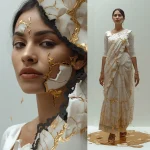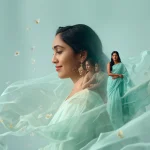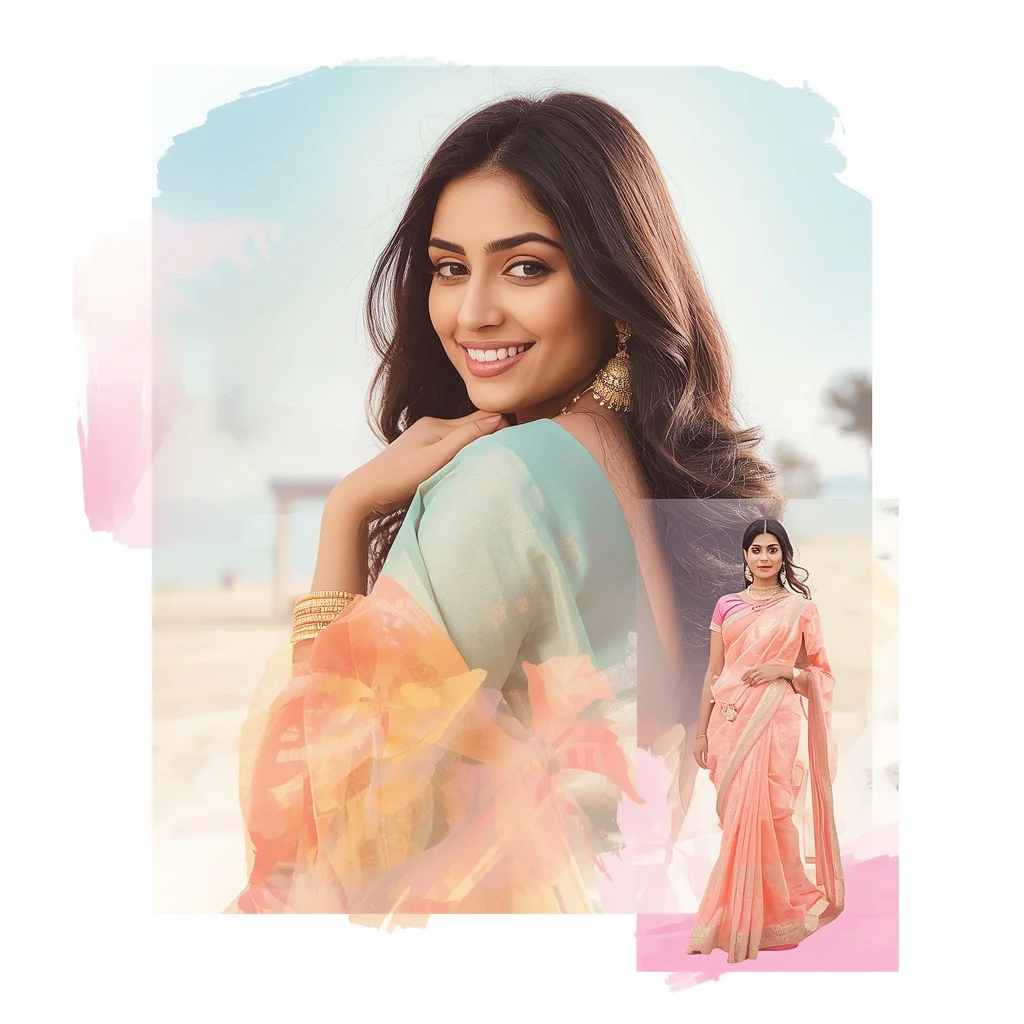


Unlock the secrets of generating breathtaking, whimsical, and highly artistic girl portraits using modern AI styling prompts in 2026.
Creating visually stunning digital art has never been more accessible than it is today. With the rapid evolution of artificial intelligence, designers, hobbyists, and social media influencers are leveraging specialized textual prompts to generate highly detailed, emotive, and imaginative portraits of women. Whether you are looking to create a whimsical dreamscape, a vintage aesthetic, or a vibrant pop art masterpiece, the right combination of descriptive words can transform a simple concept into a breathtaking piece of digital art.
This comprehensive guide dives deep into the world of artistic girl prompts, exploring how to craft magical scenarios that blend realism with fantasy. From girls floating in candy cloud kingdoms to serene scenes encased in underwater glass orbs, these prompts are designed to push the boundaries of modern AI image generators. By understanding the core mechanics of lighting, composition, and styling, you will be able to produce professional-grade portraits that stand out on any platform.
As we navigate through the various styles and techniques, you will learn how to optimize your prompts for different AI engines. We will cover the specific keywords that trigger beautiful textures, realistic skin tones, and ethereal light effects. Whether you are a seasoned digital artist or a curious beginner, this toolkit provides all the necessary resources to elevate your creative output and master the art of AI-driven portraiture.
What Are Artistic Girl's AI Prompts for Pencil Sketch Style Portraits?
Artistic girl's AI prompts for pencil sketch style portraits are highly descriptive textual instructions used to guide artificial intelligence models in generating visually rich, emotive, and stylized images of female subjects. These prompts go far beyond simple descriptions like "a beautiful girl." Instead, they incorporate intricate details about the surrounding environment, the subject's clothing, specific facial expressions, camera lens effects, and complex lighting setups. By specifying these elements, the AI can construct a cohesive scene that feels both intentional and artistic.
In the context of modern image generation, these prompts often blend realistic human features with surreal, fantastical, or sketch-like backgrounds. The goal is to create a harmonious balance between the subject and her whimsical surroundings. For instance, combining a highly detailed portrait with elements like floating candy clouds, bioluminescent jellyfish, or celestial dust swirls creates a striking contrast that captures the viewer's imagination. These prompts act as a bridge between your creative vision and the AI's rendering capabilities, translating abstract ideas into precise pixels.
Why Artistic Girl's AI Prompts for Pencil Sketch Style Portraits Is Trending
The surge in popularity of artistic girl's AI prompts for pencil sketch style portraits can be attributed to the growing demand for unique, eye-catching content on visual-centric social media platforms like Instagram and Pinterest. Users are constantly seeking aesthetic imagery that breaks away from standard photography, opting instead for dreamlike, surreal, and highly stylized illustrations. The ability to quickly generate a personalized avatar or a conceptual profile picture that looks like a high-end digital painting has made these prompts incredibly popular among digital creators.
Furthermore, the year 2026 has seen massive technological leaps in how AI handles complex textures, reflections, and lighting. Ethereal elements such as iridescent bubbles, glowing cloud pets, and translucent jellyfish are now rendered with stunning accuracy and depth. This technical capability allows artists to experiment with complex themes like "bubblegum wonderland" or "deep sea dreams" without needing years of training in traditional digital painting. The ease of copying, pasting, and modifying these viral prompts has democratized digital art, creating a massive global trend.
Popular Styles You Can Create
Using these versatile prompts, you can explore a wide array of artistic styles ranging from whimsical fantasy to retro-futurism. Each style leverages unique environmental props and lighting conditions to evoke a distinct emotional response. Here are some of the popular styles you can create using the curated prompts from our toolkit:
- Candy Cloud Kingdom: A whimsical, joyful dress-wearing subject playing among massive, pastel-colored floating candy clouds with soft, diffused cinematic lighting.
- Feathered Light Fragments: An ethereal, airy composition featuring a flowing whimsical dress surrounded by delicate, drifting iridescent light fragments.
- Magical Carousel: A vintage, nostalgic scene of a girl with a delighted giggle riding an intricately detailed, internally glowing creature on a spinning carousel.
- Bioluminescent Sea Dream: A mermaid-inspired gown in a deep-sea setting, surrounded by massive, pulsing jellyfish that emit soft, translucent glows.
- Cloud Pet Companion: A playful sky setting featuring an animated, fluffy cloud pet with expressive eyes hovering around a smiling girl in a light-colored dress.
- Autumnal Dreamscape: A thoughtful, cozy aesthetic with earthy-toned dresses set against a blurred tapestry of falling golden and amber leaves.
- Bubblegum Wonderland: A vibrant, surreal pop art dream filled with oversized, iridescent bubbles, candy-colored trees, and swirling pastel skies.
- Celestial Cosmic Play: A starry dress-wearing subject surrounded by vibrant swirls of gaseous celestial dust forming miniature animal shapes.
- Glass Orb Abyss: A tranquil, deep-ocean portrait of a girl in an ethereal gown encased in a transparent, shimmering glass orb surrounded by glowing jellyfish.
- Luminous Bubbles: A dreamscape collage showcasing a charming, colorful dress surrounded by massive, shimmering bubbles with distorted reflections.
How to Use Artistic Girl's AI Prompts for Pencil Sketch Style Portraits
To get the most out of these artistic prompts, it is important to follow a structured approach when inputting them into your chosen AI generator. This ensures that the model captures all the subtle details, from the texture of the clothing to the specific lighting conditions. Follow this step-by-step guide to achieve the best results:
- Select Your Base Prompt: Choose one of the ten curated artistic styles from the toolkit that matches your desired mood and aesthetic.
- Customize the Subject: Modify the details regarding the girl's appearance, such as hair color, facial expression, or ethnic background, to make the portrait unique.
- Adjust the Wardrobe: Change the dress style or color scheme (e.g., swapping a whimsical starry dress for a vintage lace gown) to alter the visual impact.
- Define the Environment: Fine-tune the background details, such as adding specific types of flowers, adjusting the density of the floating bubbles, or changing the sky colors.
- Set the Lighting Parameters: Ensure keywords like "cinematic lighting," "soft diffused light," or "bioluminescent glow" are included to guide the AI's rendering engine.
- Paste into the AI Tool: Copy your finalized prompt and paste it directly into your preferred AI image generator, such as Midjourney, ChatGPT, Gemini, Flux, or Leonardo.
- Iterate and Refine: Generate multiple variations, adjusting the prompt's weight or adding negative prompts to eliminate unwanted artifacts or clutter.
What Kind of Base Photo Works Best?
If you are using an AI tool that allows for image-to-image generation or face-swapping, starting with the right base photo is crucial for maintaining a natural look. The ideal base photo should feature clear, high-resolution lighting with minimal shadows on the face. A neutral or gently smiling expression works best, as extreme expressions can distort when the AI applies the artistic filters. Ensure the subject is looking directly at the camera or in a clear side profile, matching the pose described in your prompt. Avoid busy backgrounds in your base photo, as the AI might attempt to merge those elements into the new, whimsical dreamscape you are trying to create.
Which AI Tools Deliver the Best Results?
Different AI tools interpret prompt instructions in unique ways, yielding varied textures, color balances, and levels of detail. Some tools excel at realistic textures, while others are better suited for vibrant, pop-art illustrations. Below is a comparison of how popular AI engines handle these artistic prompts:
| AI Tool Name | Best Feature for Artistic Portraits | Recommended Settings & Aspect Ratios |
|---|---|---|
| Midjourney | Hyper-realistic textures and cinematic lighting | Use --v 6.0 and --ar 16:9 or 9:16 for dramatic cinematic frames |
| ChatGPT (DALL-E 3) | Excellent prompt adherence and vibrant color palettes | Use "vivid" style setting with vertical aspect ratios |
| Gemini | Soft, natural skin tones and dreamy pastel gradients | Standard settings, works beautifully with natural light keywords |
| Flux | Sharp details, clean lines, and complex reflections | High-definition output, great for glass orbs and bubble textures |
| Leonardo | Customizable fine-tuned models (e.g., Absolute Reality) | Enable Alchemy and Prompt Magic for enhanced whimsical details |
Pro Tips
To truly master these artistic prompts, consider implementing these professional techniques. First, utilize camera-specific keywords to guide the depth of field. Adding terms like "85mm lens," "f/1.8 aperture," or "shallow depth of field" will naturally blur the whimsical background, making the girl stand out as the sharp focal point. Second, pay close attention to color harmony. Use complementary colors (like amber leaves against a cool blue sky) to create visual tension and balance. Lastly, when generating collage-style prompts, specify the layout clearly in your text, asking the AI to present a "triptych" or "multi-pose character sheet" to get those beautiful close-ups and full-body stances in a single image.
Common Issues and Quick Fixes
Even with high-quality prompts, AI image generators can sometimes produce unexpected results or visual glitches. Understanding how to troubleshoot these common issues will save you time and help you achieve the perfect artistic portrait:
| Common Issue | Root Cause | Quick Fix / Solution |
|---|---|---|
| Deformed hands or extra fingers | AI struggling with complex anatomy in full-body poses | Add "perfect hands" to prompt or use inpainting to regenerate the hands specifically |
| Overly cluttered or busy backgrounds | Too many competing environmental keywords in the prompt | Simplify the background description or use negative prompts like "cluttered, messy" |
| Muted or dull colors in vibrant scenes | Incorrect lighting keywords or default style settings | Incorporate explicit color terms like "vibrant neon," "iridescent," or "saturated pastels" |
| Fuzzy or low-resolution details | Lack of render-specific quality keywords | Add "8k resolution," "ultra-sharp details," or "photorealistic textures" to the prompt end |
Frequently Asked Questions
Can I use these prompts for commercial projects or merchandise?
Yes, images generated from these prompts can generally be used for commercial purposes, depending on the terms of service of the specific AI tool you use (such as Midjourney or Leonardo). Always check the platform's licensing agreement before selling prints or merchandise.
How do I get the AI to generate consistent characters across different scenes?
To maintain character consistency, use a specific name or a highly detailed description of the subject's features in every prompt. Some tools, like Midjourney, also offer character reference parameters (e.g., --cref) that allow you to link a base image for consistency.
Why does the text sometimes appear garbled in the generated images?
AI models can struggle with spelling out words. If you are getting unwanted text or gibberish, add "text, signature, watermark, words" to your negative prompt list, or use an image editor to clone out the unwanted characters.
Conclusion
Artistic girl's AI prompts offer an incredible gateway to expressing your creativity without limits. By blending whimsical elements like candy clouds, glowing jellyfish, and celestial dust with highly detailed portrait specifications, you can generate images that are truly magical and visually arresting. Remember to experiment with different AI tools, adjust your lighting and camera settings, and use our troubleshooting guide to refine your results. Explore the complete Prompt Kit today, copy your favorite prompts, and start creating your own breathtaking digital masterpieces!