

Discover how to generate elegant, natural-looking portraits of women with minimalist makeup and a healthy, radiant glow using advanced AI prompts.
In the rapidly evolving landscape of digital art, there is a distinct shift towards realism and subtlety. While hyper-stylized and fantasy images have their place, the ability to generate authentic, lifelike portraits of women with minimalist makeup and a natural glow is highly sought after. This aesthetic celebrates clean skin textures, soft lighting, and effortless elegance, making it incredibly popular for professional portfolios, lifestyle blogs, and high-end social media curation.
Creating these natural-looking images requires a deep understanding of prompt engineering. Unlike fantasy prompts that rely on dramatic, surreal elements, natural glow prompts focus on the fine details of skin texture, subtle lighting angles, and realistic clothing folds. By carefully selecting your descriptive keywords, you can guide AI generators to produce images that are virtually indistinguishable from professional studio photography, capturing the true essence of grace and poise.
This article provides a comprehensive toolkit for generating beautiful women's portraits across various settings, from sun-drenched art studios to historic palace ballrooms. We will explore the specific prompts, camera settings, and AI tools that yield the most realistic and aesthetically pleasing results. Whether you want to showcase traditional Indian attire like Anarkalis and lehengas or modern athletic wear, these prompts will help you achieve a sophisticated, natural look every time.
What Are AI Prompts for Beautiful Women with Minimalist Makeup and Natural Glow?
AI prompts for beautiful women with minimalist makeup and natural glow are detailed textual instructions designed to generate highly realistic, lifelike portraits that emphasize natural beauty over heavy cosmetics. These prompts focus heavily on skin texture, subtle highlight reflections, and soft, natural lighting. Instead of using generic terms, they specify elements like "dewy skin," "subtle festive makeup," "ultra-realistic skin texture," and "dappled sunlight" to guide the AI in rendering authentic human features.
These prompts are carefully structured to balance the subject, her attire, and the environment. They often place the subject in picturesque, real-world settings—such as a quiet vineyard, a minimalist art gallery, or a misty lakeside. By combining natural human poses with detailed environmental descriptions, the prompts instruct the AI to create a cohesive, believable scene. The focus is always on capturing a genuine emotion, whether it is the focused determination of an athlete or the pure joy of a dancer in an ancient forest.
Why AI Prompts for Beautiful Women with Minimalist Makeup and Natural Glow Is Trending
The trend towards minimalist makeup and natural glow in AI art is a direct reflection of modern beauty standards. In recent years, the global fashion and beauty industries have embraced the "clean girl" aesthetic, which prioritizes skincare, subtle enhancement, and effortless style. This cultural shift has transitioned into the digital realm, where creators and brands are moving away from overly airbrushed, artificial-looking AI generations in favor of raw, authentic, and relatable portraits.
Additionally, advancements in AI rendering models in 2026 have made it possible to display micro-textures like individual pores, fine hair strands, and realistic light reflections on skin. This technological milestone allows users to generate stunning, high-fidelity images that look like they were shot on professional DSLR cameras. The ability to easily copy and paste these prompts to create high-quality lifestyle content for Instagram has made this specific prompt style highly viral among influencers and digital marketers.
Popular Styles You Can Create
With these curated prompts, you can explore a wide variety of natural, elegant, and dynamic styles. Each style combines a specific setting, outfit, and emotional tone to create a unique narrative. Here are the popular styles you can generate using our toolkit:
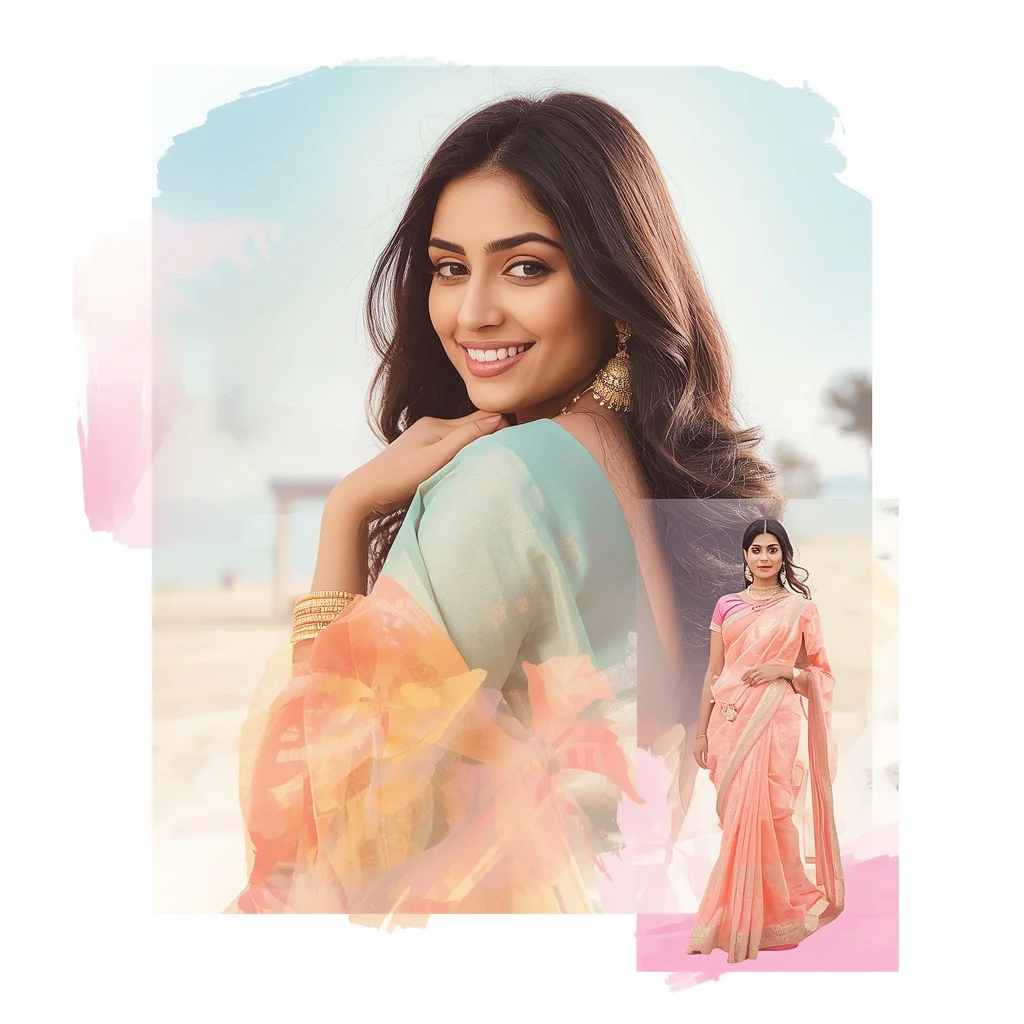
- Vineyard Anarkali: A charming Indian woman in a flowing lavender cotton Anarkali with delicate white embroidery, strolling through a picturesque summer vineyard.
- Lehenga Ground Bloom: A stunning, low-spin pose of an Indian woman in a pastel festive lehenga, creating a beautiful circular fabric bloom close to the ground.
- Graceful Anarkali Spin: A serene, circular step pose in a pastel Anarkali, emphasizing voluminous fabric movement against a soft gradient background.
- Palace Ballroom Elegance: An elegant woman in a rich, jewel-toned silken gown gliding gracefully through a grand, historical palace ballroom lit by chandeliers.
- Sun-Drenched Art Studio: A joyful female artist in comfortable, paint-splashed overalls, surrounded by vibrant paintings and warm, natural sunlight.
- Artistic Wall Dance: A focused dancer in a flowing, ethereal costume performing an intense, expressive pose against a minimalist textured grey wall.
- Minimalist Gallery Pose: A sophisticated woman in a monochrome gown standing thoughtfully beside a contemporary sculpture in a soft-lit art gallery.
- Misty Lakeside Evolution: A serene, multi-exposure timeline showing a woman's peaceful evolution, meditating, painting, and enjoying nature by a misty lake.
- Modern Gym Athlete: A dynamic, focused female athlete in stylish, form-fitting athletic wear, captured mid-action under crisp, dramatic studio lighting.
- Ancient Forest Dance: A free-spirited, joyful dance in an ancient, moss-covered forest with magical sunlight filtering through towering trees.
How to Use AI Prompts for Beautiful Women with Minimalist Makeup and Natural Glow
Achieving a truly realistic and glowing portrait requires a systematic approach to prompt customization and execution. Follow these seven steps to get the most out of your natural glow prompts:
- Select a Template: Choose one of the ten styles from our toolkit that fits your desired aesthetic (e.g., the vineyard stroll or the modern gym setting).
- Specify Skin Details: Always include keywords like "ultra-realistic skin texture," "natural skin pores," "dewy glow," or "minimalist makeup" to prevent an over-processed look.
- Define the Clothing Fabric: Describe the material of the outfit (e.g., "flowing cotton," "shimmering silken gown," or "form-fitting athletic wear") to help the AI render realistic folds and reflections.
- Set the Light Source: Mention natural light sources like "dappled sunlight," "warm golden hour light," or "soft studio lighting" to enhance the natural glow effect.
- Describe the Pose and Expression: Keep expressions natural and relaxed, using terms like "serene smile," "focused determination," or "graceful and carefree pose."
- Paste into Your AI Generator: Copy your customized prompt and paste it into a leading AI image engine, such as Midjourney, ChatGPT, Gemini, Flux, or Leonardo.
- Fine-Tune and Upscale: Run multiple generations to find the perfect facial features, then use a high-quality upscaler to lock in the fine skin textures and details.
What Kind of Base Photo Works Best?
When utilizing image-to-image features to guide the AI, your base photo plays a critical role in the final output's realism. Start with a high-resolution headshot or full-body photo taken in soft, even lighting. Avoid harsh shadows or direct, bright flashes, as these can make it difficult for the AI to apply a smooth, natural glow. The subject should have minimal makeup in the base photo to allow the AI to accurately render the dewy, minimalist aesthetic. Ensure the pose matches the general composition of your target prompt, as this helps the AI map the clothing and environment seamlessly without distorting the body's natural proportions.
Which AI Tools Deliver the Best Results?
Not all AI generators handle realistic skin textures and subtle lighting in the same way. Selecting the right tool is essential for achieving that perfect, natural look. Here is an overview of how the top AI tools perform with these prompts:
| AI Tool Name | Best Feature for Natural Glow | Recommended Settings & Aspect Ratios |
|---|---|---|
| Midjourney | Unmatched skin texture realism and soft light rendering | Use --v 6.0 with --style raw for the most authentic, un-airbrushed look |
| ChatGPT (DALL-E 3) | Excellent composition and accurate clothing placement | Use natural style settings; ideal for complex multi-subject scenes |
| Gemini | Beautiful, soft pastel color grading and natural skin tones | Standard settings work great; excellent for outdoor vineyard/forest scenes |
| Flux | Incredibly sharp details and realistic fabric folds | Use high-resolution outputs; perfect for capturing detailed embroidery |
| Leonardo | Advanced control over lighting and style presets | Select the PhotoReal or Absolute Reality models for lifelike textures |
Pro Tips
To elevate your portraits to a professional standard, try incorporating camera lens specifics into your prompts. Mentioning an "85mm f/1.4 lens" or "50mm prime lens" will naturally create a beautiful shallow depth of field, blurring the background while keeping the subject's face incredibly sharp. Additionally, utilize negative prompts to filter out unwanted elements. Words like "heavy makeup, airbrushed, plastic skin, drawing, cartoon, oversaturated" will force the AI to stick to realistic, natural textures. Finally, experiment with "dappled light" or "volumetric lighting" to add depth and a sense of atmosphere to your outdoor scenes.
Common Issues and Quick Fixes
Generating realistic human features can sometimes result in minor errors. Use this troubleshooting table to quickly identify and resolve common issues when generating natural glow portraits:
| Common Issue | Root Cause | Quick Fix / Solution |
|---|---|---|
| Plastic or waxy skin texture | AI default styling is too aggressive or airbrushed | Add "ultra-realistic skin texture, visible pores, natural skin imperfections" to your prompt |
| Unnatural fabric folds or warping | Conflicting movement keywords in the prompt | Simplify the pose description (e.g., change "dynamic low spin" to "standing gracefully") |
| Harsh or unrealistic lighting | Missing light source direction in prompt | Specify the light source clearly, such as "soft side-lighting" or "dappled sunlight filtering through trees" |
| Distorted facial features on wide shots | AI struggles with small faces in full-body compositions | Generate a close-up first, or use an inpainting tool to regenerate the face with higher detail |
Frequently Asked Questions
How do I avoid the "uncanny valley" effect in my AI portraits?
To avoid a creepy or unnatural look, focus on adding realistic details like "subtle asymmetry, natural skin texture, soft shadows, and gentle expressions." Avoid using terms like "perfect face" or "flawless," which tend to trigger plastic-looking results.
Can I apply these prompts to different ethnicities?
Absolutely. You can easily customize the prompts by adding specific descriptors such as "Indian woman," "East Asian woman," "African-American woman," or "Scandinavian woman" to guide the AI in generating diverse and authentic features.
What is the best aspect ratio for lifestyle portraits?
For social media platforms like Instagram and TikTok, a vertical aspect ratio of 9:16 or 4:5 works best. For professional portfolios or website banners, a landscape ratio of 16:9 is ideal.
Conclusion
Mastering AI prompts for beautiful women with minimalist makeup and a natural glow allows you to create incredibly realistic, elegant, and timeless digital art. By focusing on skin textures, soft lighting, and authentic poses, you can bypass the artificial look of standard AI generations and achieve a truly professional aesthetic. Whether you are generating images for a personal project, social media, or a professional portfolio, the curated prompts in this toolkit provide the perfect foundation. Copy your favorite prompts, paste them into your preferred AI engine, and start creating stunning, glowing portraits today!