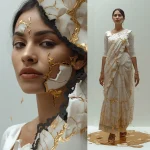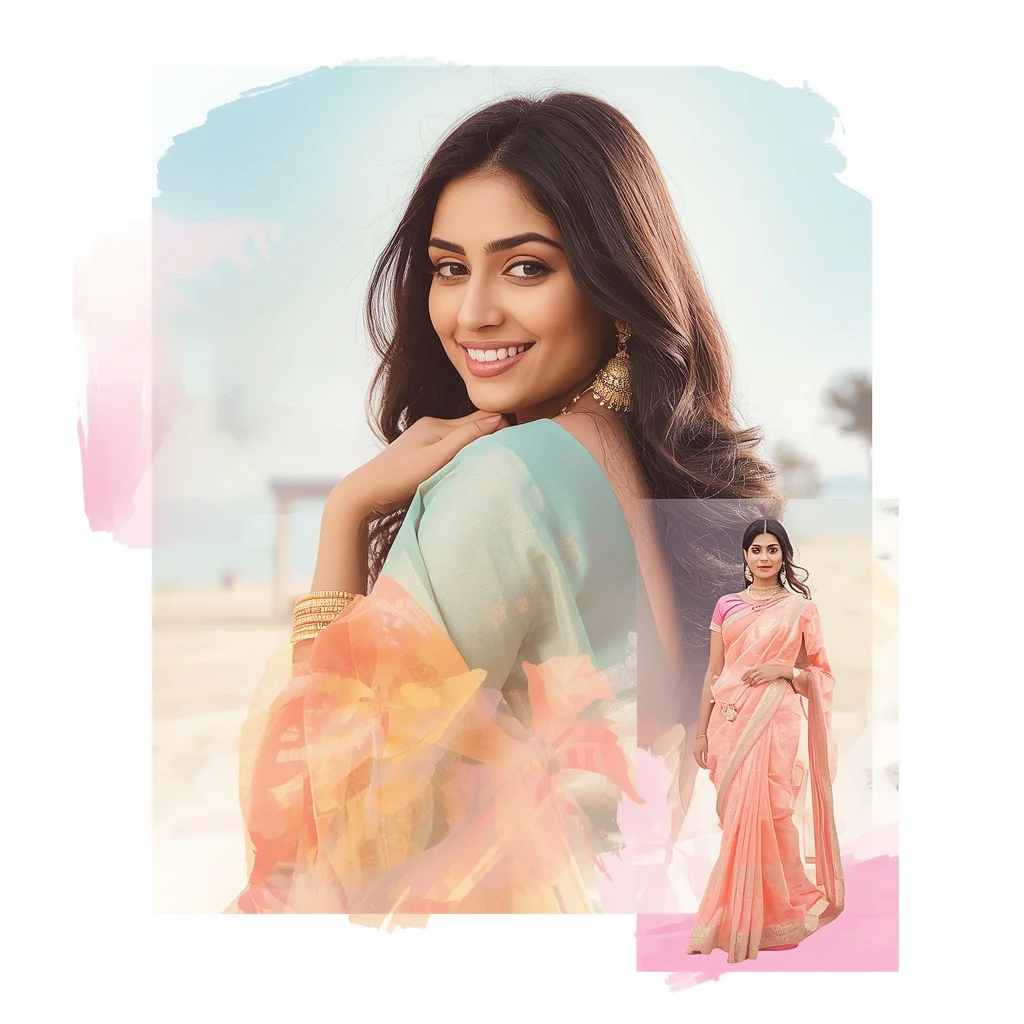


Discover a collection of premium AI prompts designed to generate sophisticated images of elegant women's evening wear in classic European settings and highly creative artistic layouts.
Creating high-end, editorial fashion imagery with AI requires a deep understanding of style, composition, and atmospheric lighting. When prompting elegant evening wear, the goal is to evoke a sense of timeless sophistication, luxury, and grace. By placing your subjects in classic settings—such as grand museums, luxury airports, or mystical forests—you can build a rich narrative around each character.
In this guide, we will explore ten highly creative prompt concepts that push the boundaries of AI fashion photography. From traditional silk kimonos in peaceful Japanese gardens to avant-garde molten silver splash collages, these templates offer a diverse range of styles. We will discuss how to structure your prompts, which camera settings to simulate, and how to combine different design elements to achieve breathtaking results.
Whether you want to generate a classic red carpet look, a modern geometric glass panel collage, or a futuristic neon pixel desert scene, these prompts provide a solid foundation. Let's dive into the details of how you can use these templates to elevate your digital art portfolio and create stunning, realistic fashion portraits.
What Are Elegant Women's Evening Wear in Classic European Settings?
Elegant Women's Evening Wear in Classic European Settings represents a high-fashion digital art style that emphasizes sophisticated wardrobe choices, refined styling, and luxurious environments. The wardrobe typically includes custom-designed evening gowns, tailored pantsuits, and elegant dresses made from premium fabrics like silk and velvet. The settings are designed to complement this elegance, featuring grand architecture, polished gallery floors, and sophisticated backdrops that add a sense of history and luxury to the image.
This style also embraces creative variations, such as incorporating artistic collage layouts. By arranging the subject within a structured grid of geometric glass panels or surrounding them with floating metallic particles, you can create a dynamic visual narrative. This approach allows you to showcase different aspects of the subject's personality and style in a single, cohesive frame, making the final image look like a professional editorial campaign.
Why Elegant Women's Evening Wear in Classic European Settings Is Trending
This aesthetic is trending because it combines the timeless appeal of classic luxury with the cutting-edge capabilities of modern generative AI. Creators and designers are using these prompts to visualize high-fashion concepts without the need for expensive location scouts, wardrobe styling, or professional model bookings. The ability to render intricate details—such as the subtle reflection of a burgundy dress on a polished museum floor or the complex sand-pixel waves of a digital desert—has made this style incredibly popular among digital artists.
Additionally, these prompts offer a high degree of customization. Whether you are generating content for a lifestyle brand, an online fashion portfolio, or social media, these templates allow you to easily adjust the colors, fabrics, and settings to match your specific brand identity. The resulting images are highly engaging, aspirational, and visually stunning, making them perfect for capturing an audience's attention.
Popular Styles You Can Create
With this collection of prompts, you can explore a wide variety of sophisticated styles. For a traditional, culturally rich look, you can generate a beautiful woman in a vibrant silk kimono with intricate floral patterns, holding a delicate parasol in a Japanese garden. If you prefer a modern, business-focused aesthetic, you can create a female entrepreneur's timeline, showcasing her visionary growth through multiple overlapping age versions in evolving professional attire.
For those who love artistic, high-concept designs, the molten silver splash collage features a female engineer surrounded by shimmering metallic particles, while the geometric grid panel collage displays a modern female artist within a structured glass layout. You can also venture into futuristic territory with the vibrant neon pixel desert collage, which combines a sleek pastel neon outfit with a digital, glowing pixel landscape, creating a striking contrast between natural desert forms and digital data waves.
How to Use Elegant Women's Evening Wear in Classic European Settings
To use these prompts effectively, start by selecting the template that best matches your creative vision. You can copy the text directly or customize specific elements to create a unique variation. For example, you can change the color of the flowing silk dress from emerald green to deep royal blue, or swap the luxury airport terminal for a classic European street corner. This flexibility allows you to tailor each generation to your exact specifications.
When inputting your prompts, ensure that you maintain a logical structure. Describe the subject's pose and facial expression first, followed by a detailed description of their clothing and accessories. Next, describe the background, lighting conditions, and any special effects (such as molten silver splashes or neon pixel reflections). Finally, include technical camera terms like '8K resolution', 'shallow depth of field', and 'editorial photography' to guide the AI in producing a high-quality, professional finish.
What Kind of Base Photo Works Best?
If you are using an image-to-image workflow, choosing the right base photo is essential for achieving a realistic and high-quality result. The ideal base photo should have a clear, well-lit subject with a simple, uncluttered background. A portrait with natural lighting and a neutral, confident expression works best, as it provides the AI with a strong foundation to apply new clothing textures, hairstyles, and environmental details.
Avoid using low-resolution, blurry, or heavily filtered images, as these can lead to distortions and artifacts in the generated output. Instead, opt for sharp, high-contrast photos where the subject's features and pose are clearly defined. This ensures that the generated image retains the desired level of elegance and sophistication while incorporating the complex styling of your chosen prompt.
Which AI Tools Deliver the Best Results?
To generate these elegant and highly detailed fashion images, you can paste these prompts directly into several leading AI image generation platforms. Each tool offers unique features that can enhance your final output.
| AI Tool | Best Suited For | Key Features |
|---|---|---|
| Midjourney | Cinematic realism, rich fabric textures, and elegant lighting. | Excels at rendering luxurious materials like silk, velvet, and metallic splashes. |
| Flux | Complex layouts and photorealistic portraits. | Highly accurate at rendering multi-pose collages, geometric panels, and realistic skin. |
| Leonardo | Artistic control and custom style models. | Great for generating creative concepts like neon pixel deserts and mystical forests. |
| ChatGPT / Gemini | Prompt refinement and customization. | Useful for expanding these templates or translating your creative ideas into detailed prompts. |
Pro Tips
To help you customize your prompts and achieve the exact look you want, here is a list of concrete visual details extracted from our premium templates:
- Traditional Kimono: Silk kimono, vibrant floral patterns, delicate parasol, Japanese garden, tea ceremony.
- Entrepreneur Timeline: Overlapping age versions, evolving professional attire, brainstorming, networking, global business leader.
- Molten Silver Splash: Female engineer, slow-motion molten silver splash, shimmering metallic particles, side profile, full-body stance.
- Museum Reflection: Tailored burgundy dress, classic chignon, delicate brooch, grand museum, famous painting, polished floor reflection.
- Mystical Forest: Flowing emerald green silk dress, long wavy hair, mystical forest, soft dappled light.
- Luxurious Airport: Tailored pantsuit, perfectly styled blow-out, designer sunglasses, luxury carry-on bag, modern terminal.
- Red Carpet Gown: Custom-designed evening gown, dramatic silhouette, flawless hair, classic red carpet pose, dazzling smile.
- Geometric Grid Panels: Creative expressive outfit, modern female artist, structured grid of transparent glass panels, paint strokes.
- Neon Pixel Desert: Pastel neon outfit, desert sand made of glowing digital pixels, sand shifting like data waves, glitch effects.
- Modern Jumpsuit: Sleek well-fitted jumpsuit, bold solid color, statement accessories, sophisticated bob, gradient backdrop.
By incorporating these specific details into your prompts, you can guide the AI to render precise textures, lighting, and environmental elements, resulting in highly customized and professional digital art.
Common Issues and Quick Fixes
Even with highly detailed prompts, AI generators can occasionally produce unwanted artifacts or compositional errors. Understanding how to address these issues will save you time and help you achieve a flawless final image.
| Common Issue | Possible Cause | Quick Fix / Solution |
|---|---|---|
| Overlapping faces in timeline prompts | AI struggling with multiple subjects in one frame. | Use terms like 'double exposure' or 'seamlessly overlapping portraits' to guide the composition. |
| Reflections look distorted or unrealistic | AI failing to render complex physics. | Specify the surface, such as 'subtly visible in the polished floor reflection' or 'softly mirrored surface'. |
| Neon pixel effects look too chaotic | Too many conflicting digital terms in the prompt. | Keep the digital description focused, using terms like 'sand made of shifting digital pixels' or 'subtle glitch fragments'. |
| Garment textures look flat | Lack of fabric-specific descriptive words. | Describe the fabric texture clearly, such as 'flowing emerald green silk' or 'tailored wool pantsuit'. |
How to Generate Your First Elegant Evening Wear Portrait
Follow these step-by-step instructions to generate your own stunning, high-fashion portraits using your chosen AI image generator.
- Select your preferred AI image generator, such as Midjourney, Flux, or Leonardo.
- Choose one of the specialized prompt templates from this article that matches your desired aesthetic.
- Customize the clothing details, swapping items like the burgundy dress for a custom-designed evening gown if desired.
- Adjust the setting and background elements to create a unique narrative for your subject.
- Incorporate specific camera settings, such as an '85mm lens' or 'soft diffused gallery lighting', to enhance realism.
- Paste the finalized prompt into the generator's text input field and run the generation.
- Review the output, select the best variation, and use upscaling or inpainting tools to refine any minor details.
Frequently Asked Questions
What elements define elegant evening wear in AI prompts?
Elegant evening wear is defined by describing luxurious fabrics and sophisticated silhouettes, such as a 'custom-designed evening gown in rich, luxurious fabric', a 'tailored burgundy dress', or a 'flowing emerald green silk dress'. Adding details like a classic chignon hairstyle or statement accessories further enhances the elegant look.
How can I generate the double exposure or timeline effect?
To generate a timeline or growth effect, use descriptive terms such as 'narrative timeline photo showing multiple overlapping age versions in one frame'. Describe the transition in clothing, such as 'evolving professional attire', to guide the AI in rendering the subject's progression.
Which AI tools are recommended for high-fashion evening wear?
You can paste these detailed prompts directly into Midjourney, Flux, or Leonardo for incredible visual results. Additionally, you can use ChatGPT or Gemini to easily adjust the settings, colors, and clothing items to match your creative needs.
Conclusion
Creating elegant women's evening wear in classic European settings is a wonderful way to explore the capabilities of modern AI image generators. By focusing on rich fabric descriptions, realistic lighting, and sophisticated environments, you can produce professional-grade fashion portraits that look like they belong in a luxury editorial campaign. Whether you are using Midjourney, Flux, or Leonardo, these ten curated prompt templates provide the perfect starting point for your creative projects. Start experimenting today and elevate your digital art portfolio with stunning, high-fashion storytelling.